
Launch Modes
Compare Block-0, Quick, Organic, and Manual modes to choose how your launch and initial trades should execute.
Proxima only displays modes supported by the selected network, launchpad, launch variant, and quote asset.
Choose how holder buys execute
- Block-0: Coordinate the launch with the supported MEV wallet layers.
- Quick: Automatic holder buys with no delay between buys.
- Organic: Automatic holder buys spaced by Buy Delay.
- Manual: Submit holder buys yourself after deployment.
Execution diagrams
Block-0
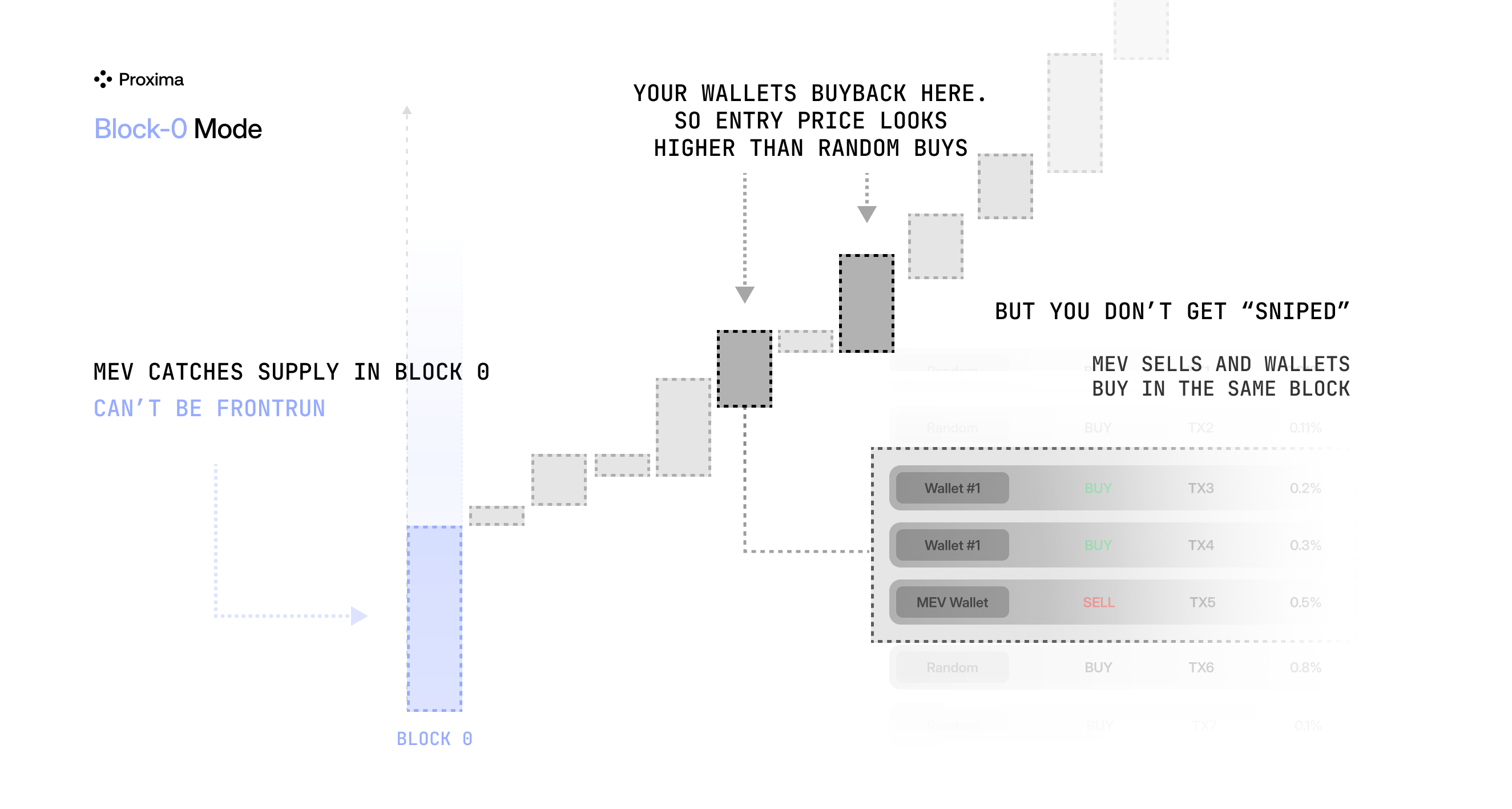
Execution sequence
- Dev Configured Dev Buy at launch.
- Front MEV Initial bundle targeting the deployment block.
- Back MEV Optional buybacks after Front MEV, with the configured delay.
- Temp Holder Optional token transfers after the active MEV layers.
- Holders Final allocation after the active layers, with plan delays.
The illustration does not separate Dev, Back and Temp. Some routes use MEV without Back MEV; layers and delays depend on the route and preset.
On-chain transactions can still fail.
Quick
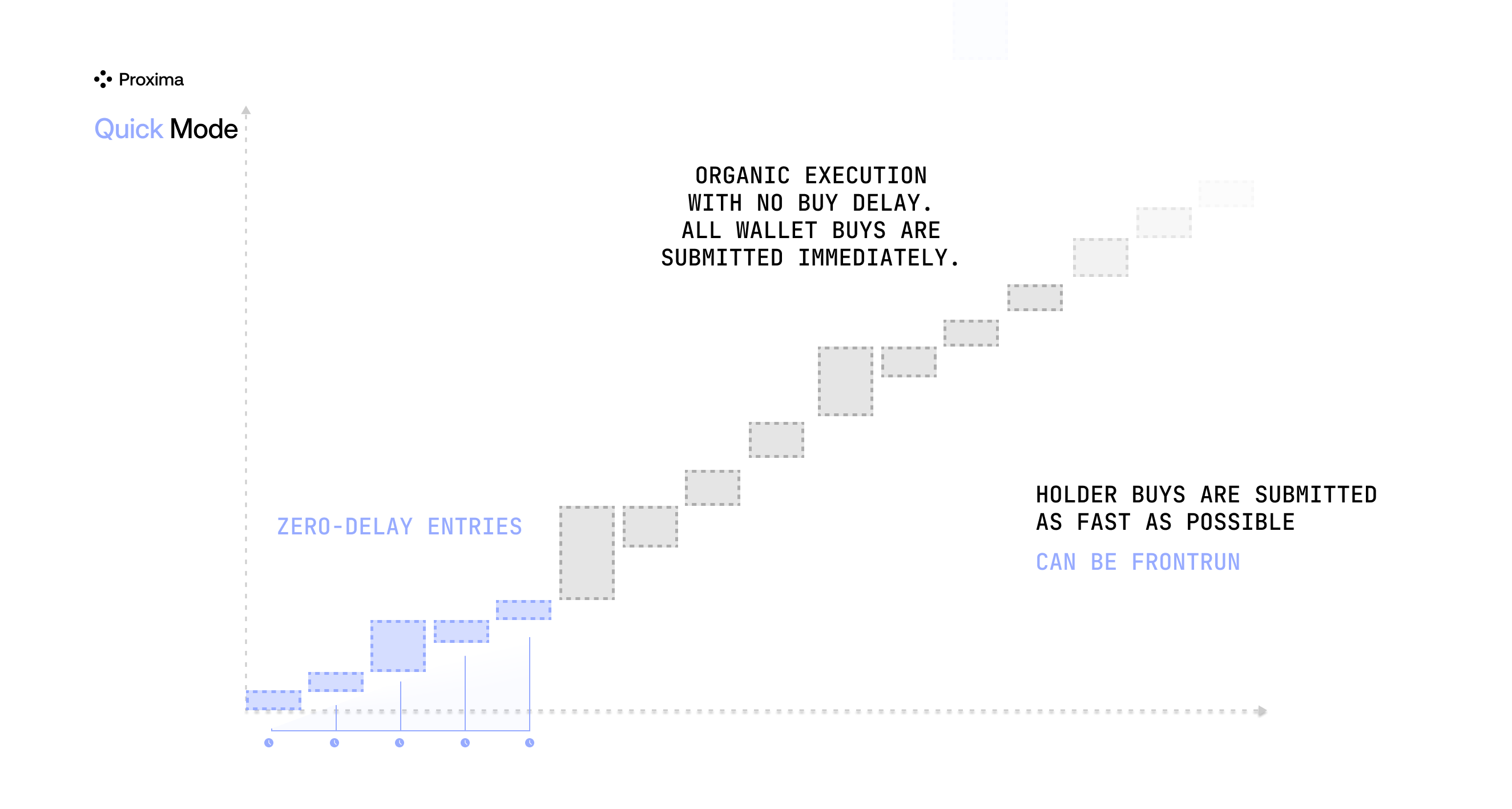
Execution sequence
- Dev Configured Dev Buy at launch.
- Holders Automatic buys after deployment, with Buy Delay = 0.
Base: Initial Buy Delay may postpone the first holder buy. Zero Buy Delay does not guarantee the same block or price.
Quick execution sequence
-
Deployment and any configured developer buy
-
Initial Buy Delay on Base, if set
-
Holder buys with zero Buy Delay
Base: Initial Buy Delay may postpone the first buy.
Organic
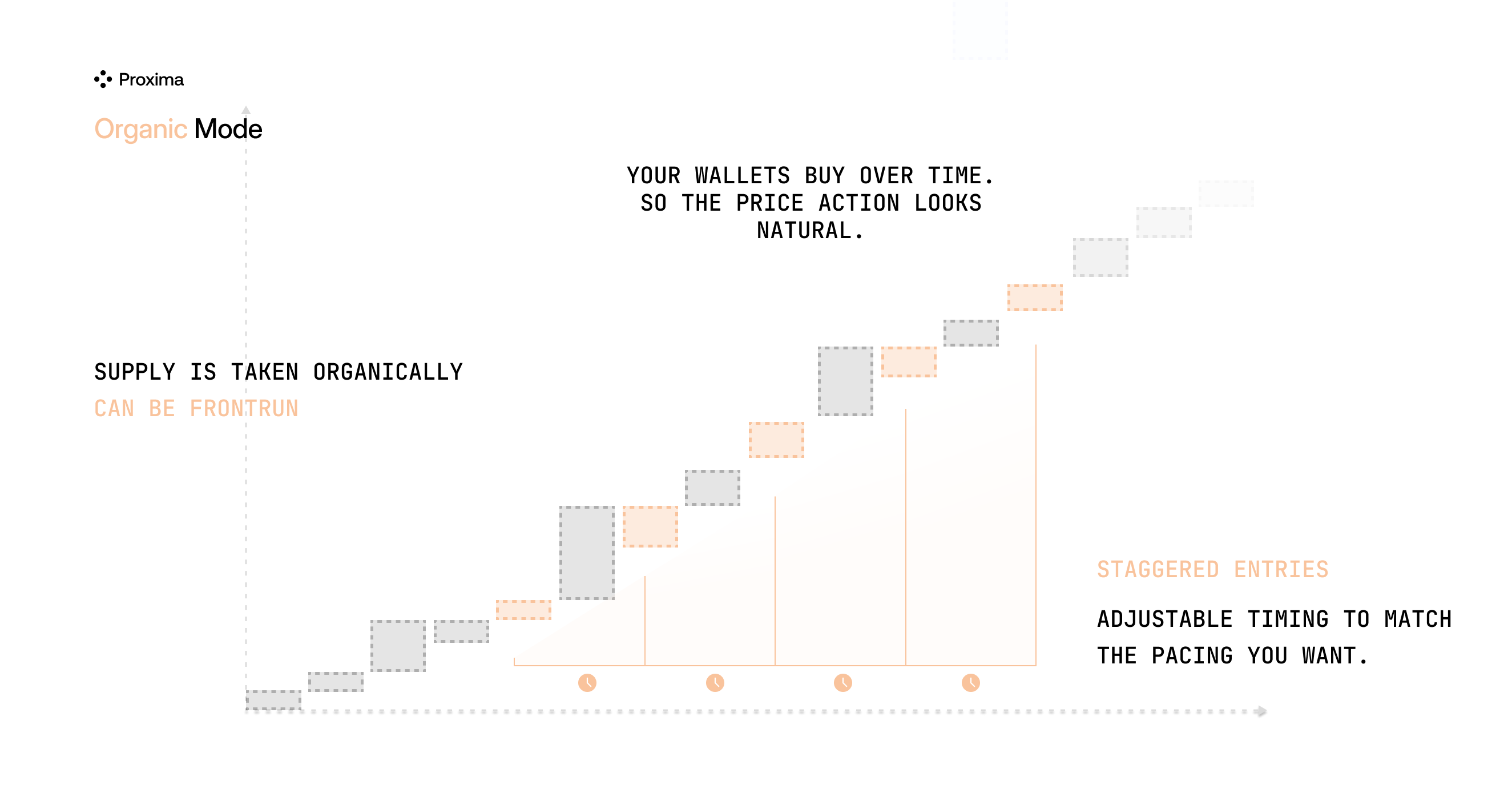
Execution sequence
- Dev Configured Dev Buy at launch.
- Holders Sequential buys after deployment, with Buy Delay between buys.
Buy Delay spaces holder buys, not the developer buy. Prices can change between buys; target supply is not guaranteed.
Organic execution sequence
-
Deployment and any configured developer buy
-
Holder buy
-
Next holder buy after Buy Delay
Target supply is not guaranteed.
Manual
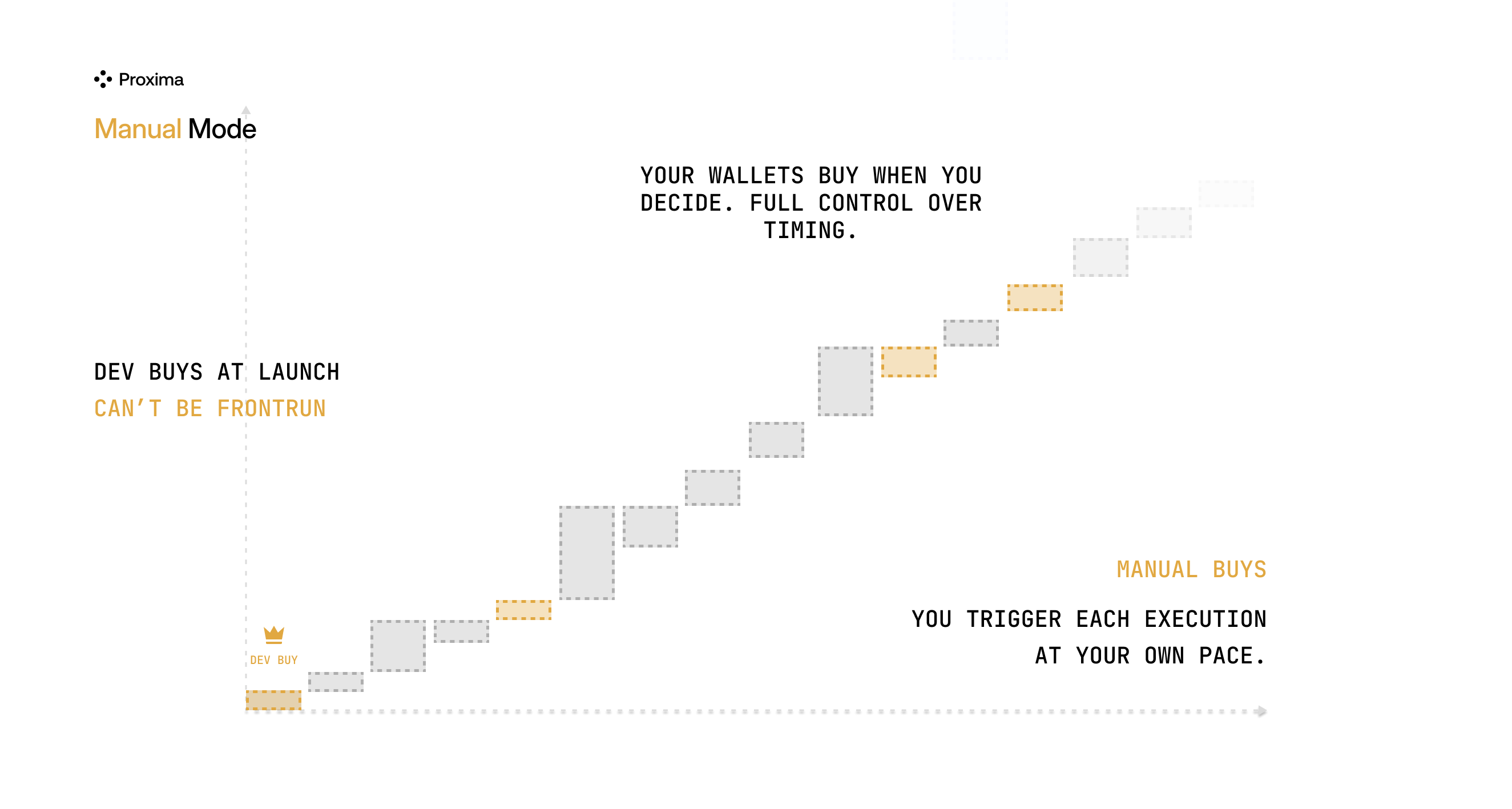
Execution sequence
- Dev Configured Dev Buy at launch.
- Holders Buy or sell after deployment, when you submit an order.
No automatic holder buys. Dev Buy, if configured, still runs at launch.
Manual execution sequence
-
Deployment and any configured developer buy
-
Holder wallets wait
-
You submit holder buys
Configured Dev Buy still runs at launch.
Use Buy or Sell in the Live Workspace. For multi-wallet buys, choose Stagger or Parallel in Buy & Sell Tokens.
Availability by launchpad
Scheduled Mode & Snipe
Scheduled Mode : Deploy now, keep holder buys waiting. The selected launch mode stays the same.
Snipe : Start the buys saved in your plan. Launch Settings.